Anchor, watch the boat from ashore, see your crew, log your instruments and share your journey, in one app.

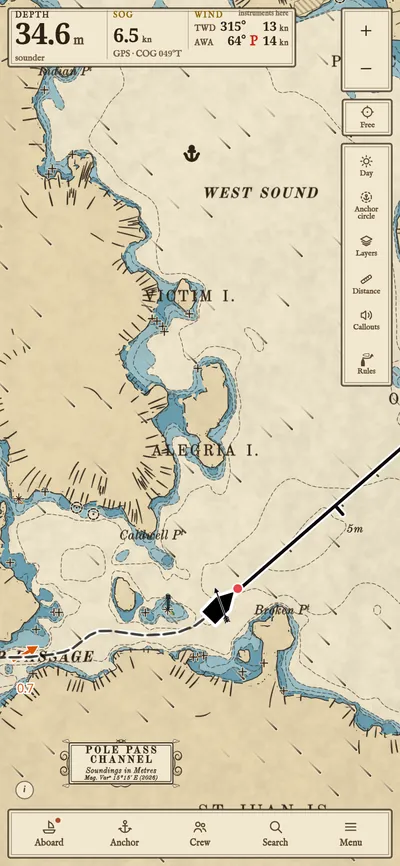
Wasp Passage in the San Juan Islands, Washington, in the Traditional chart style: the boat’s track through the passage among charted rocks, the boat with its wind vane, the engraved islands, and depth, speed and wind at the top.
Wasp Passage, San Juan Islands, Washington.
Wasp Passage on a phone: the boat and its track out of the passage, its course line, the rocks and the light on the islets, and depth, speed and wind at the top.
  • Anchoring: a spoken countdown to the drop for stern-to, and a chart overlay of anchorable spots based on depth with the tide, your chain length, swing room and seabed slope.
  • The anchor watch from ashore: leave a phone or tablet aboard and your phone ashore keeps the anchor alarm, over the internet.
  • Your crew ashore: each person on the chart with their own track.
  • Your instruments: read by the Android app, kept with the track and passed to the whole crew.
  • Your journey: a live link anyone can open, a public boat page with photo posts, and public boats nearby.

Accounts are by invitation for now: request an invite.

Features

Charts cover United States waters (which waters). Elsewhere the app shows land and names but no depths yet.

On one phone

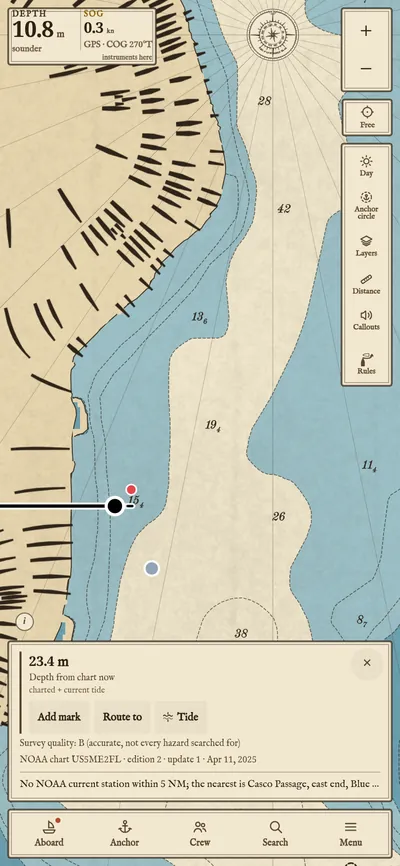
  • The depth after a tap on the water in Somes Sound.

    Depth at a tap

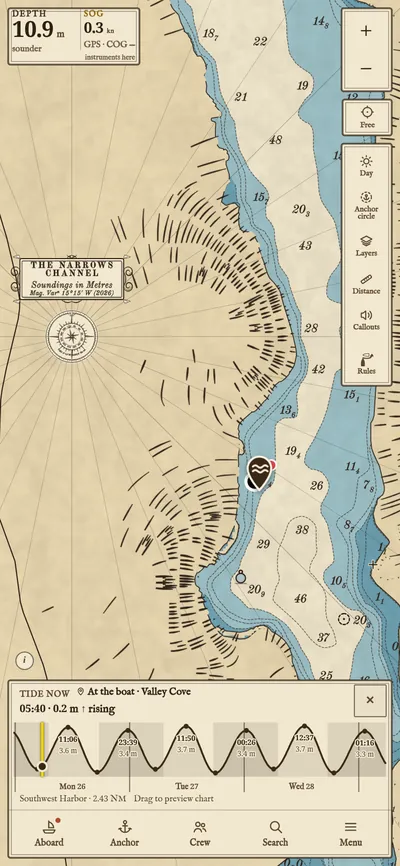
    With the tide now.

  • The tide curve at Southwest Harbor, over the chart of Valley Cove and Somes Sound.

    Tides

    Three days ahead; drag along the curve to see the chart at that hour.

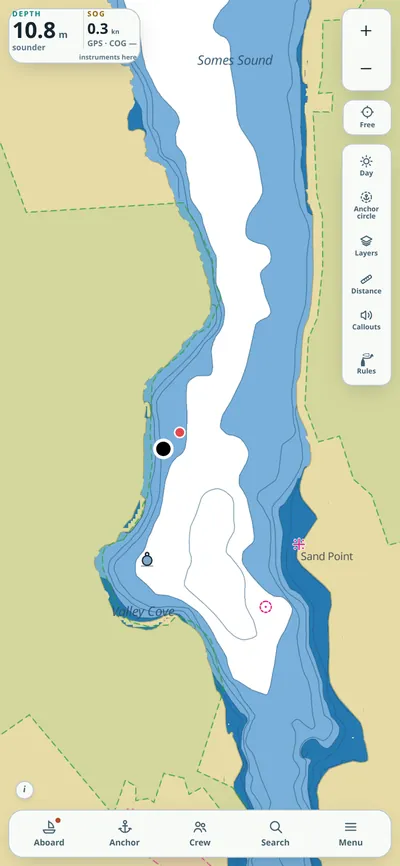
  • Valley Cove in the Standard chart style: flat colours and plain lettering.

    Two chart styles

    Traditional draws it like an engraved paper chart; Standard is plain.

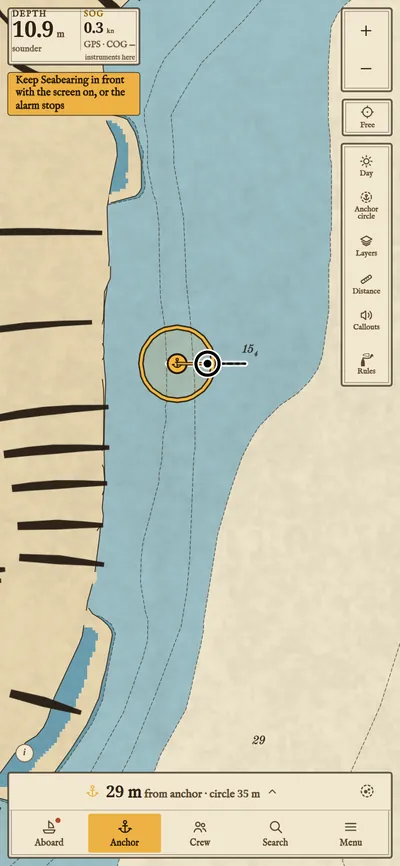
  • An anchor set: the watch circle round the anchor, the boat inside it.

    The anchor alarm

    Drop marks the spot as the anchor goes down; Set turns the alarm on.

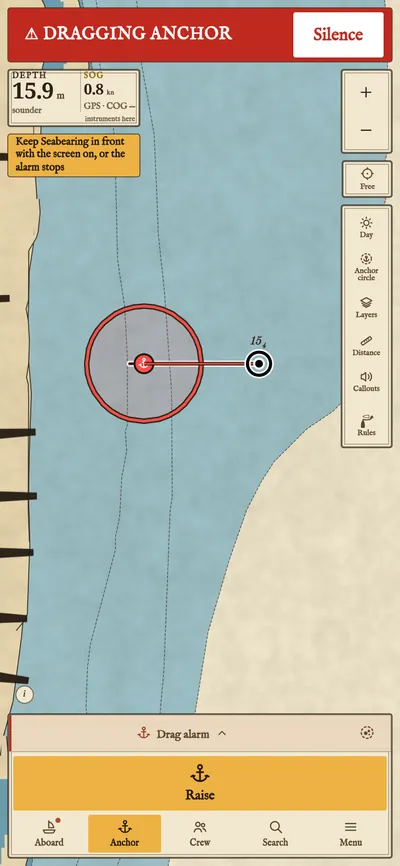
  • The drag alarm: Dragging anchor across the top, the boat outside its circle.

    The drag alarm

    The Android app keeps watching with the screen off; in a browser the screen must stay on.

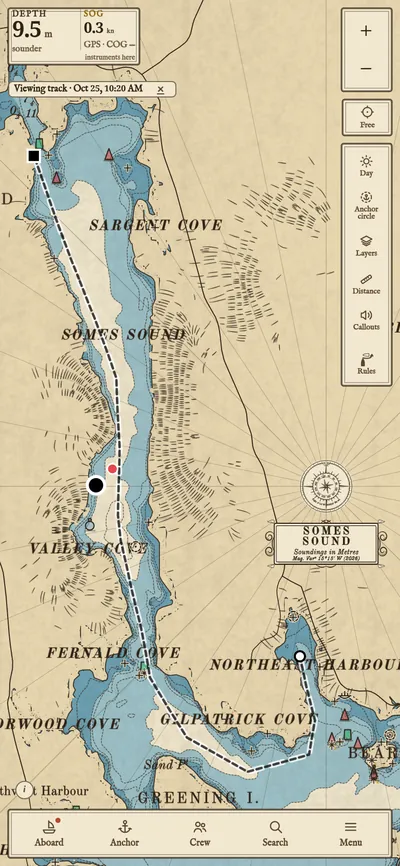
  • A passage from Northeast Harbor up Somes Sound.

    Tracks

    Saved passages export as GPX.

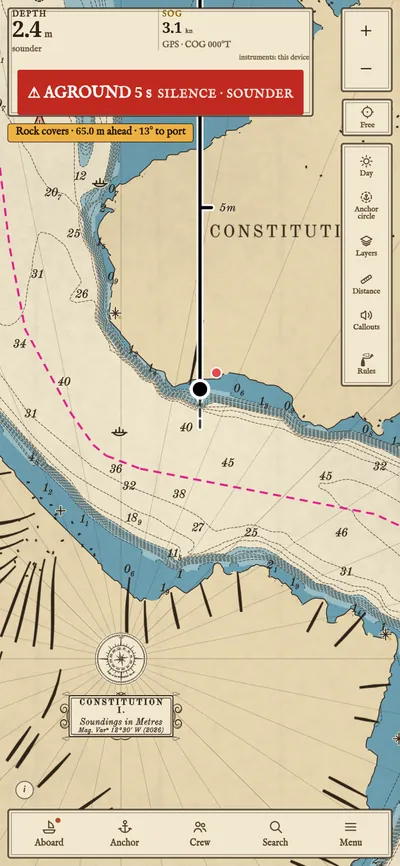
  • The grounding alarm as the boat heads onto a shoal in the Hudson at West Point.

    Grounding warning

    Sounds when the boat heads into water shallower than its draft.

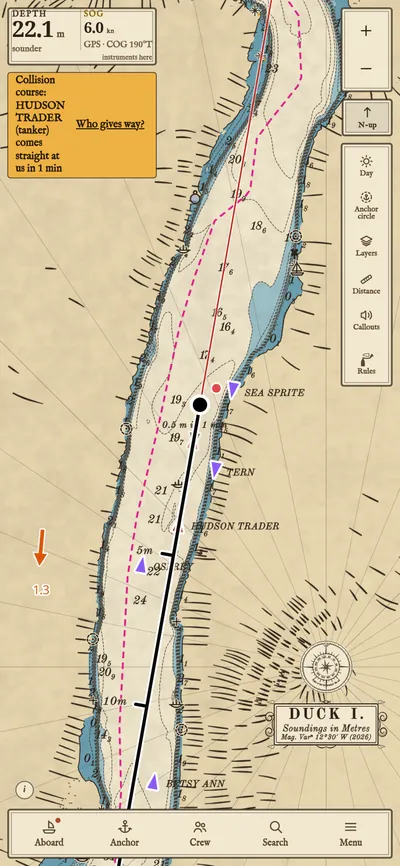
  • Vessels from AIS on the Hudson below West Point, a tanker coming up the reach on a collision course in red.

    AIS and collision warning

    Over the internet, with no receiver on board; under way, a vessel on a collision course sets off a chime.

With your crew

The crew link

Phones and tablets pair by QR code and talk over the boat's Wi-Fi, or over the internet when apart.

More on the crew link

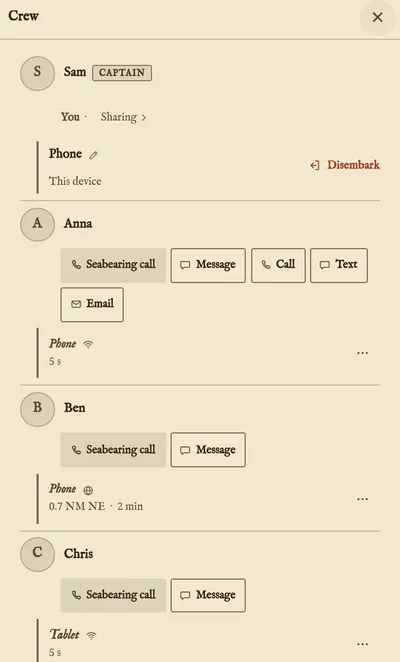
  • The crew screen: Sam, the captain, and three crew devices, each with how far away it is.

    One anchor for the crew

    Any device sets or raises it. Each has its own alarm, so a phone ashore can watch through one left aboard.

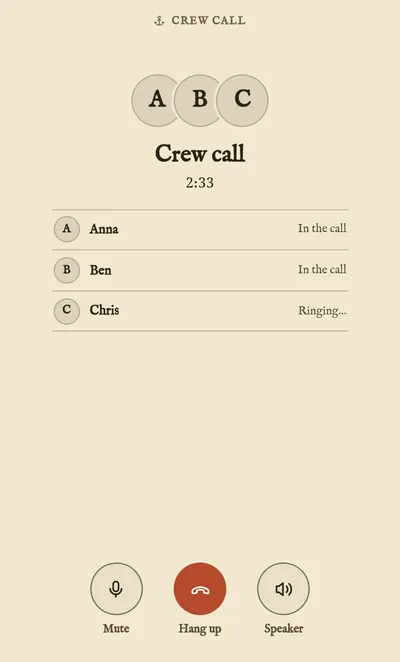
  • A voice call between four crew devices.

    Calls and messages

    Up to 6 people on a call.

With the boat's instruments

In the Android app

Position, heading, depth, wind, speed through the water, water temperature and AIS, over NMEA 0183, NMEA 2000, Signal K, USB or Bluetooth.

Every connection

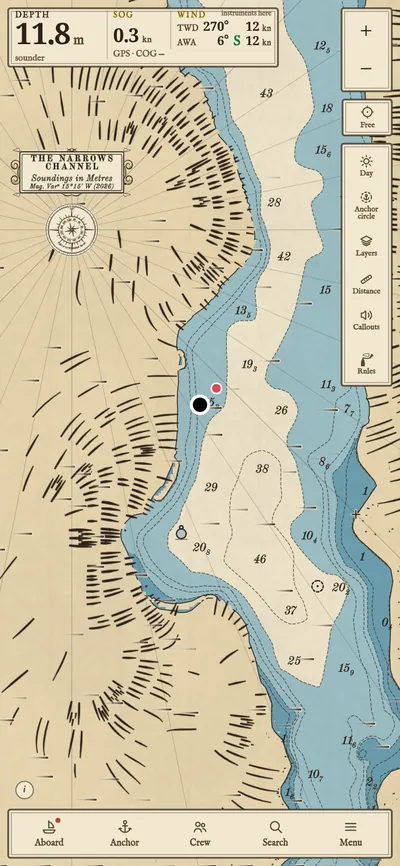
  • The sounder's depth and the wind across the top of the chart, and the wind drawn as short streaks.
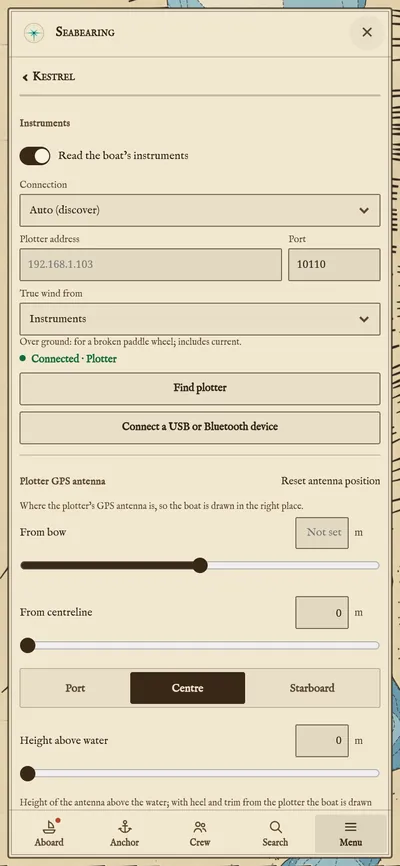
  • The Instruments settings: the switch to read the boat, the connection and the plotter's address.

    Read the boat

    The app finds the plotter or gateway on the boat's Wi-Fi by itself.

Pricing

Free, except the charts

The app

The anchor alarm and anchoring tools, the crew link, chat with photos and video, public boat pages, flotillas and live sharing.

Request an invite
Charts

Per region

For use offline. Free during the beta.

All features